ZensicalにMarkdownlintをインストールする
ZedにMarkdownlintをインストールする手順をメモしておきます。
検証環境
| 対象 | バージョン |
|---|---|
| macOS | Tahoe 26.5.1 |
| Zed | 1.8.2 |
| markdownlint-cli2 | 0.22.1 |
markdownlint-cli2のインストール
内部的にmarkdownlint-cli2を利用する為、Homebrewでインストールします。
Markdownlint拡張のインストール
ZedへMarkdownlint拡張をインストールします。
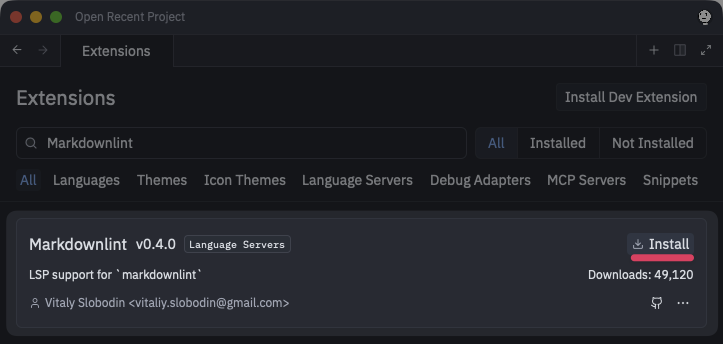
この拡張機能からmarkdownlint-cli2を利用して構文チェックするように設定します。
settings.json
// Zed settings
//
// For information on how to configure Zed, see the Zed
// documentation: https://zed.dev/docs/configuring-zed
//
// To see all of Zed's default settings without changing your
// custom settings, run `zed: open default settings` from the
// command palette (cmd-shift-p / ctrl-shift-p)
{
  "buffer_font_family": "UDEV Gothic NFLG",
  "buffer_font_size": 18,
  "edit_predictions": {
    "provider": "copilot",
  },
  "languages": {
    "Markdown": {
      "format_on_save": "on",
      "formatter": {
        "external": {
          "command": "markdownlint-cli2",
          "arguments": ["--format", "-"],
        },
      },
    },
  },
  "project_panel": {
    "dock": "left",
    "auto_reveal_entries": true,
    "scrollbar": {
      "show": "auto",
    },
  },
  "restore_on_startup": "last_session",
  "theme": {
    "mode": "system",
    "light": "One Light",
    "dark": "One Dark",
  },
  "ui_font_size": 18,
}